Invoice Recognition
Business scenario description
Traditionally for a company dealing with invoices needs to involve multiple manual reviewers going through each invoice to reduce the chances of error. With deep learning and OCR techniques, the company can read invoices and automatically review the receipts, extract important fields out of them.
Features
Invoice Recognition has the following features:
- Easy to Integrate:Seamlessly integrated into the advanced CRM/SAP,etc.
- Fast response: result is returned in a second.
Instructions
text version
1)Log in to the Mage platform and click on the menu of Invoice Recognition.
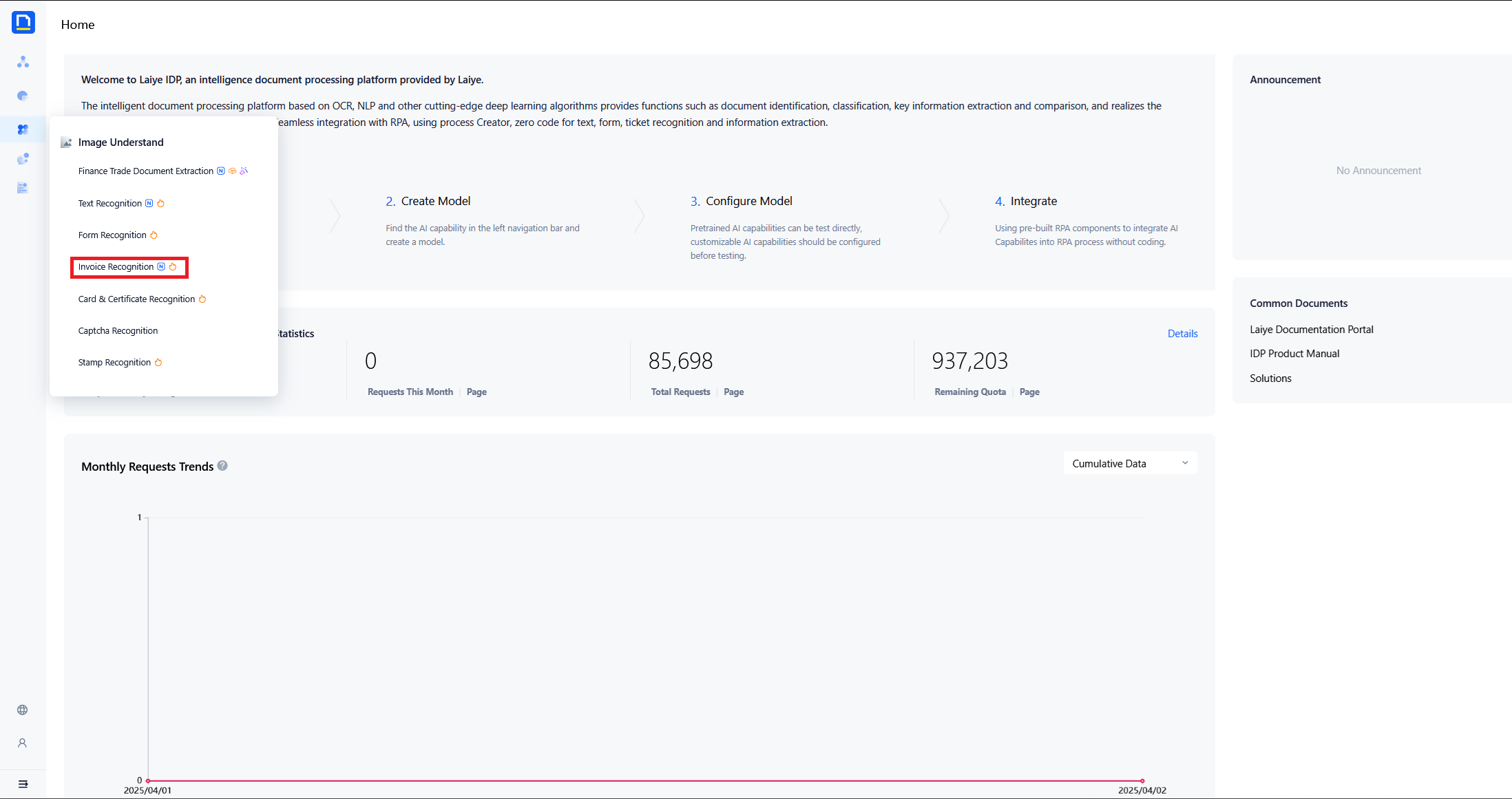
2)Create a new Invoice Recognition model.
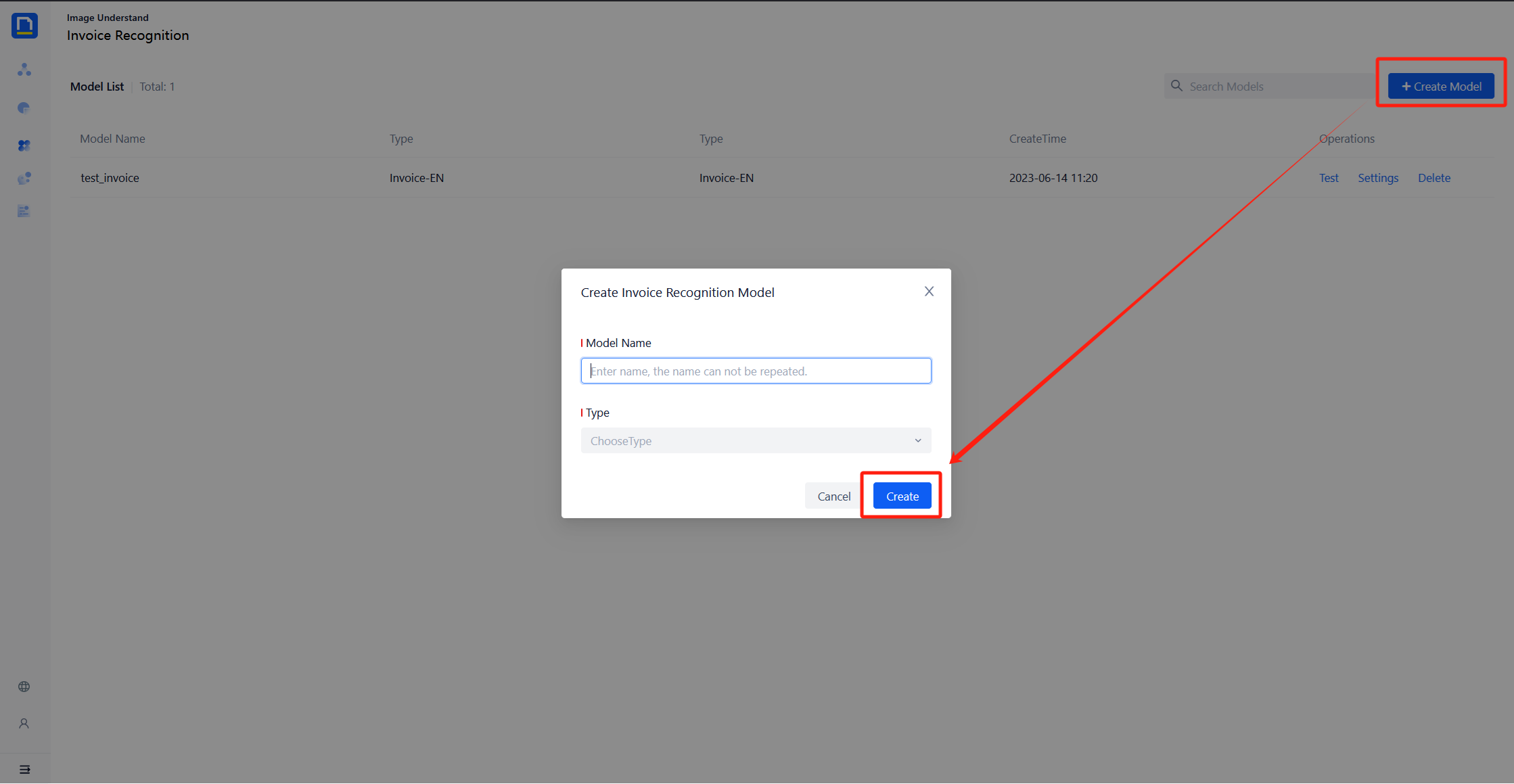
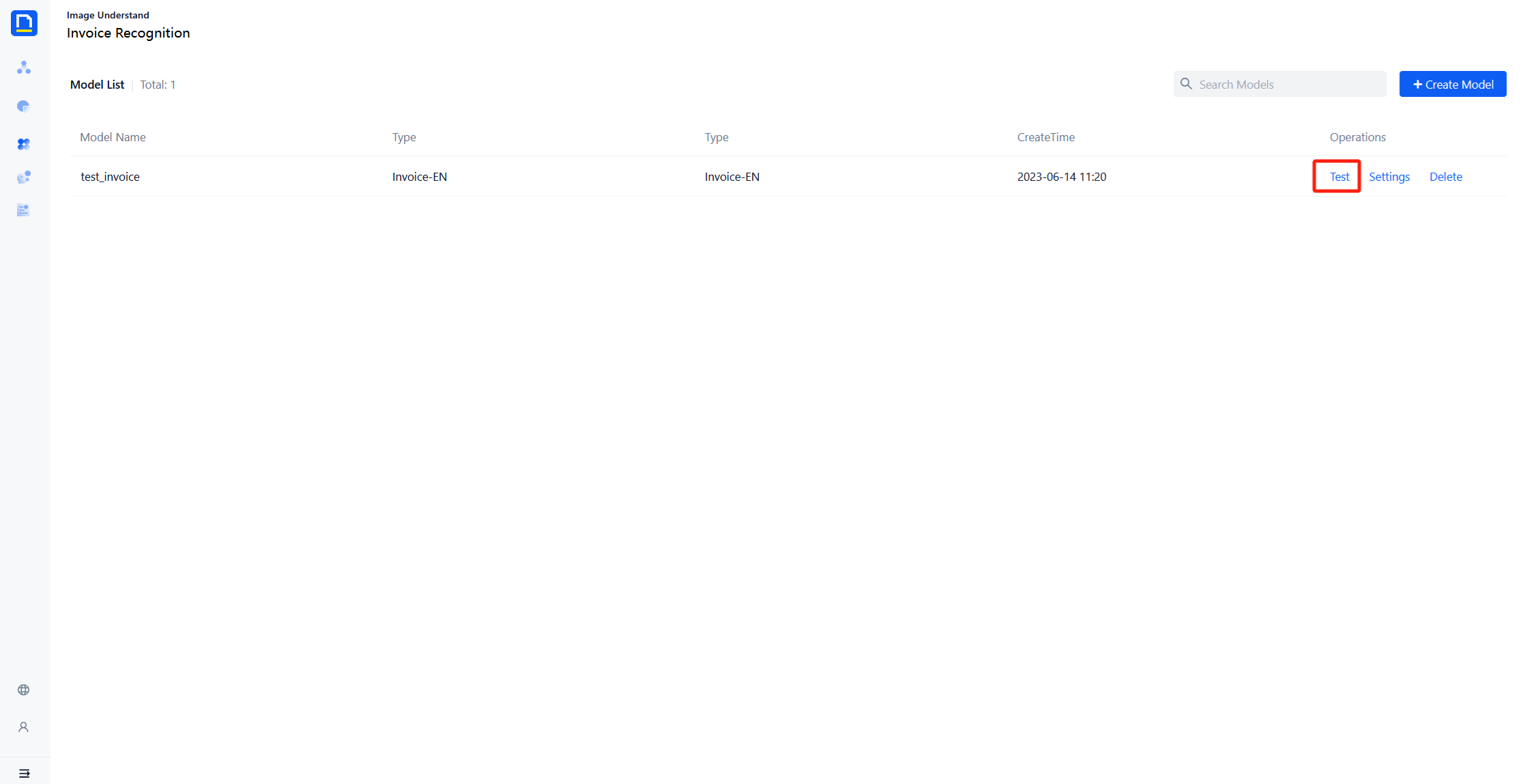
3)Click on the tester in the upper right corner to enter the test page.
4)Upload a document, click “start”, then you will get the recognition result.
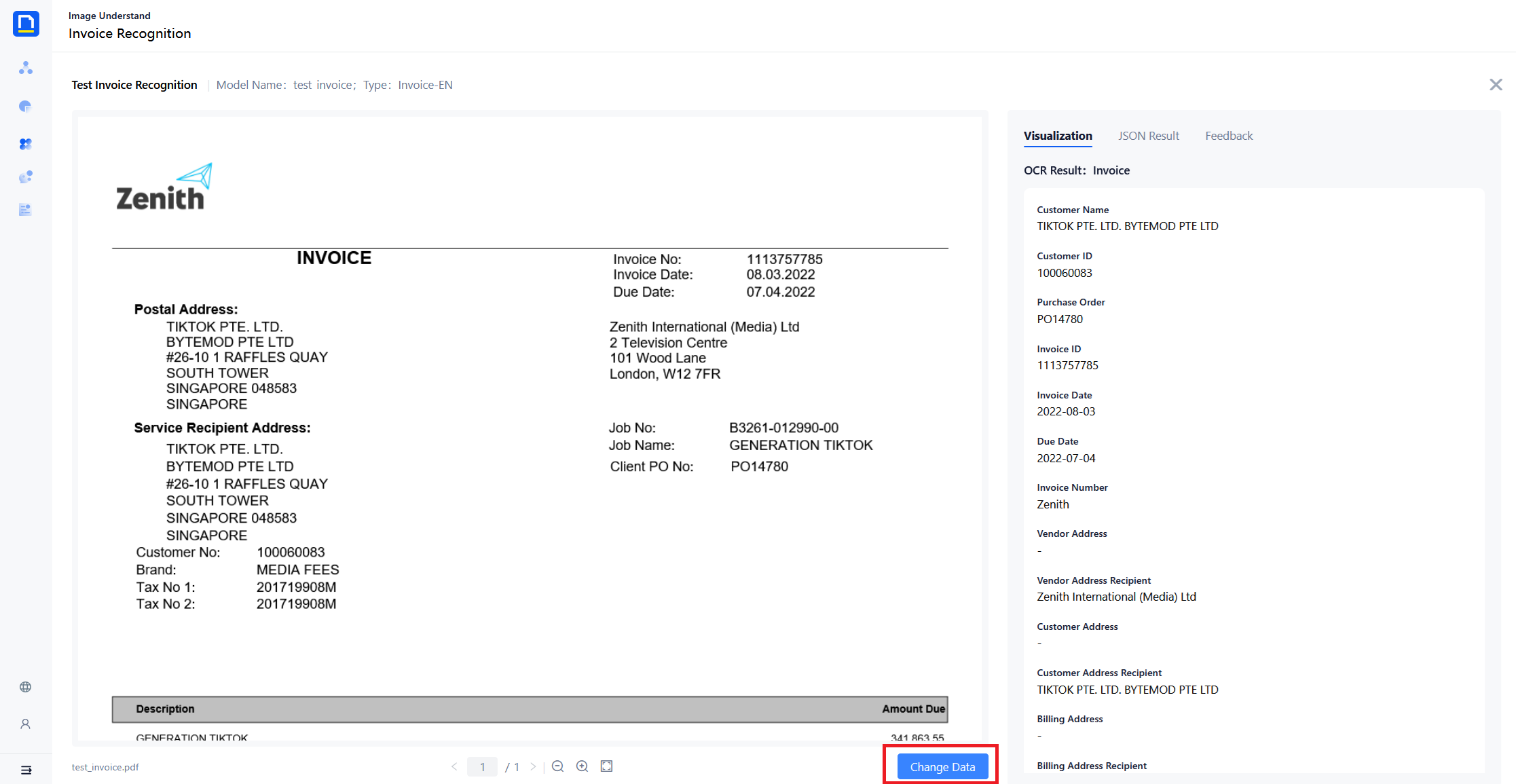
Model extraction fields
| Key | Description | Microsoft |
|---|---|---|
| customer_name | Customer Name | ✅ |
| customer_id | Customer ID | ✅ |
| purchase_order | Purchase Order | ✅ |
| invoice_id | Invoice ID | ✅ |
| invoice_date | Invoice Date | ✅ |
| due_date | Due Date | ✅ |
| vendor_name | Vendor Name | ✅ |
| vendor_address | Vendor Address | ✅ |
| vendor_address_recipient | Vendor Address Recipient | ✅ |
| customer_address | Customer Address | ✅ |
| customer_address_recipient | Customer Address Recipient | ✅ |
| billing_address | Billing Address | ✅ |
| billing_address_recipient | Billing Address Recipient | ✅ |
| shipping_address | Shipping Address | ✅ |
| shipping_address_recipient | Shipping Address Recipient | ✅ |
| sub_total | SubTotal | ✅ |
| total_tax | Total Tax | ✅ |
| invoice_total | Invoice Total | ✅ |
| amount_due | Amount Due | ✅ |
| service_address | Service Address | ✅ |
| service_address_recipient | Service Address Recipient | ✅ |
| remittance_address | Remittance Address | ✅ |
| remittance_address_recipient | Remittance Address Recipient | ✅ |
| service_start_date | Service Start Date | ✅ |
| service_end_date | Service End Date | ✅ |
| previous_unpaid_balance | Previous Unpaid Balance | ✅ |
| amount_list | Amount | ✅ |
| description_list | Description | ✅ |
| quantity_list | Quantity | ✅ |
| unit_price_list | Unit Price | ✅ |
| product_code_list | Product Code | ✅ |
| unit_list | Unit | ✅ |
| date_list | Date | ✅ |
| tax_list | Tax | ✅ |